
Business Device Support & Repair
Repairs, upgrades, swaps and safe retirement for your whole device estate — handled on-site, remotely or by collection, with no walk-in shop and no guesswork.
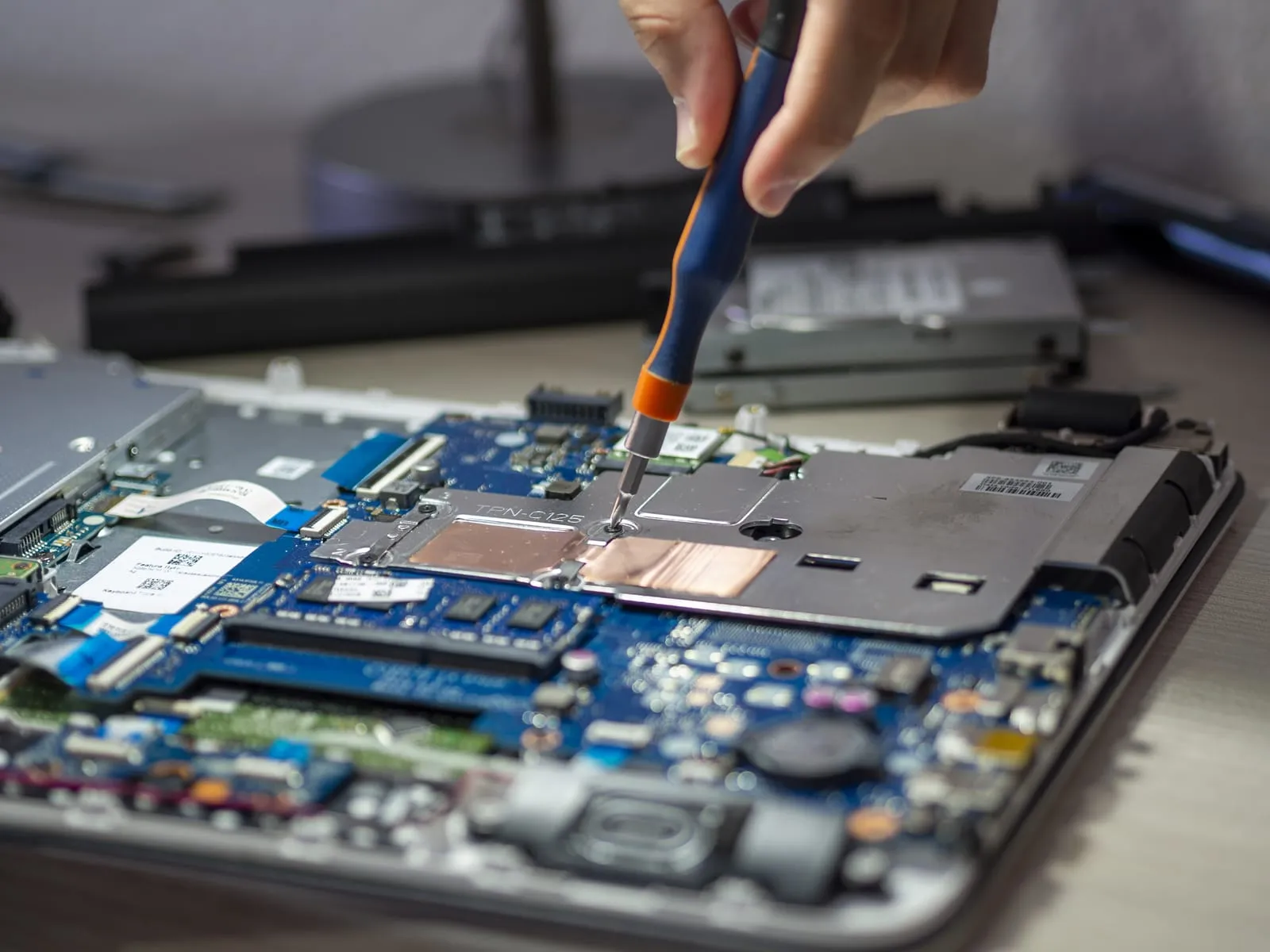
You don’t have a broken laptop. You have an estate.
The call almost always comes about one machine. It won’t boot, or it keeps shutting itself down, and someone needs it back. That is a fair description of the emergency and a poor description of the problem: by the time a business phones about a device, it has usually been irritating somebody for months.
The money is rarely lost in the repair bill. It is lost in the gap between the day a machine became unreliable and the day somebody decided to do something about it. In that gap a person works slower without mentioning it, files get saved to the desktop “just for now” because the sync keeps hanging, and someone builds a private set of workarounds for their own computer. None of that reaches an invoice, which is why it runs on.
Business device support works the other way round. Instead of reacting to whichever machine failed last, you treat the laptops, desktops and Macs as one estate with a lifecycle: what you own, what state each machine is in, when each is due to go. Repairs, upgrades, swaps and retirements become planned work with a running order — cheaper and much calmer.
Repair or replace: what actually decides it
There is no formula, but a few factors genuinely move the decision.
- Age against role. A four-year-old machine that boots quickly and runs the software its user needs owes you nothing. A two-year-old bargain model, underpowered on day one, is already costing you.
- Wear item or board fault. Batteries, drives, fans, keyboards and hinges are consumables; replacing one on a sound machine is good economics. A board-level fault on an older device is another conversation.
- Part cost against remaining life. A part is worth fitting when the machine has years left to give. The same part on a machine you would replace next spring is money spent twice.
- Whether the operating system is still supported. If the hardware cannot run a version that still gets security updates, the question is settled.
- The cost of the person not working. The factor everyone leaves out, and usually the largest number on the list.
So a cheap repair on a tired machine is often the expensive option: a fix that fails again in six weeks costs you the first repair, the second diagnosis and two more interruptions. The opposite bias costs just as much — a sound machine that is merely slow can be transformed by fitting an SSD and adding memory, for a fraction of a replacement. Our guide on when to replace business computers works the decision through properly.
The bill you can see is not the cost you are paying
A repair is not competing with the price of a new laptop. It is competing with days of somebody’s output: the meetings they miss, the work queuing behind them, the colleague who covers.
So removing the wait matters more than optimising the repair, which is why swapping first beats a clever fix nearly every time: get the person onto a working machine, then deal with the broken one at a sensible pace. That is what a small spare pool is for. It only works when files and settings live in people’s accounts rather than on a local drive — then a swap is a sign-in, not a rescue.
Getting a device fixed when there is nowhere to walk in
There is no shopfront and no counter here. That sounds like a limitation until you price what a counter costs: somebody drives across London in work time, hands the machine over, then waits without it. Three routes instead, and we use whichever is cheapest.
Remote first. A good share of what gets reported as a hardware fault is not one — a failed update, a driver, a corrupted profile, a full disk. A remote session settles that without anyone travelling, and if it is hardware after all, we already know the model, the age and the fault.
On-site. When it needs hands, an engineer comes to the office, and a planned visit clears a written list of faults instead of one emergency. It is how the ten-person consultancy our team looks after runs its IT: laptops numbered, faults written against the number, a visit booked when the list is worth it.
Collection and return. When a job needs a bench and parts, we collect and return the machine.
The device is replaceable. What is on it may not be.
Hardware has a price list. Client records, case files and five years of a designer’s work do not. Full-disk encryption is the baseline, and the recovery key belongs somewhere the business can actually reach. That one detail decides whether a lost laptop is an inconvenience or a reportable breach.
During a repair, three questions are worth asking any provider. Who can read this drive? Does the fix touch the storage? Is there a current copy elsewhere before anything is erased? Where the drive itself has failed, the job stops being a repair and becomes data recovery — specialist work with its own risks.
Retirement is the step most businesses skip. A machine that leaves your building still holding readable data is a breach waiting for a date. Every retired device needs a secure wipe or a destroyed drive, a record of what was wiped and when, and responsible recycling. If you hold client or patient data — a solicitor’s case files, or dental imaging tied to a named patient — that record is part of your compliance position.
Three models are cheaper to run than fifteen
Estates sprawl one purchase at a time: whatever was on offer that month, whatever the last starter asked for, whatever a departing director left behind. Standardising on a handful of models changes the economics more than people expect. Anywhere devices are bought in batches the point is obvious — a school kitting out a classroom set, for instance — but it is worth the same to an office buying three laptops a year. Spares and chargers become interchangeable. One build image covers the fleet. Docks and monitors match, so any desk works for anybody. Support gets quicker, because a fault on a familiar model is recognised rather than investigated. Getting there is a rule applied to the next twenty purchases, which is where standardised device setup and deployment does the work.
Mixed Windows and Mac is the normal shape
Nearly every office we look after runs both. The designers and the founder are on Macs, everyone else is on Windows, and the Apple side is usually left to whichever colleague seems most confident with it. That is an ordinary estate, not an exception, and it should not mean two providers arguing over whose fault the printer is. Apple hardware faults are repair work like any other; the accounts, encryption and access side sits under Mac support for business.
A machine that stops getting updates is a security problem
Windows 10 stopped receiving free security updates in October 2025. A machine still running it is not merely old; it is an unpatched device inside your network, and care taken elsewhere does not make up for that. Apple works to a similar rhythm, patching only recent macOS releases, so an older Mac falls off the same edge. Knowing a year ahead which machines can take the current version turns a nasty surprise into a budget line; our notes on upgrading a business to Windows 11 cover the checks worth running across an estate.
Where the individual jobs live
This page is the map; the jobs have their own pages. Laptop repair covers hinges, keyboards, batteries and charging ports, desktop and PC repair takes boot failures, power supplies and overheating, and board-level repair picks up faults deeper than a component swap. If you would rather not think about any of it, device cover folds into managed IT support — at which point the question stops being “who can fix this today” and becomes “what is due next quarter”.
Frequently asked questions
We have about thirty machines of wildly different ages. Where do we start?
With a list, not a repair. We record every machine — model, age, processor, memory, storage, operating system and who uses it — and sort it into three groups: fine for now, upgrade candidate, and replace this year. That turns a vague worry into a budget line and a running order. Most estates hold a handful of machines doing real damage to someone's working day, and they are rarely the ones people complain about loudest.
What happens to the data on a device while you are repairing it?
It stays encrypted and it stays yours. Most business machines run BitLocker or FileVault, so the drive is unreadable without the key, and we need your key or your account to work on it at all. Where a repair does not involve the storage — a screen, a hinge, a fan — the drive can often stay put. If a repair does mean wiping, we agree that with you first and confirm the data exists somewhere else before anything is erased.
Can you supply replacement machines too, or only fix what we have?
Both. We source new business hardware through trade suppliers and spec it against the job the person actually does, rather than whatever is discounted that week. We do not sell second-hand or refurbished kit. If it makes more sense to keep a machine and upgrade it, we will say so — talking you into hardware you do not need is a quick way to lose the relationship that matters more than the sale.
Some of our PCs cannot be upgraded to Windows 11. What are the realistic options?
Windows 10 stopped receiving free security updates in October 2025, so a machine still on it is a security problem rather than an inconvenience. The honest options are narrow — replace the machine, move it to a role that never touches company data, or retire it. Extended update programmes exist, but they buy time at a cost and end anyway. Check the whole estate at once so the spend is planned rather than forced on you.
Should we keep spare laptops, and how many?
Yes, and fewer than you would think. One or two ready spares in a fleet of twenty is not extravagant — it is the difference between a fault being an interruption and a fault being a lost week. Keep them imaged, updated and enrolled the same as everything else, so a spare is genuinely usable the moment it is needed. A machine that has sat in a cupboard unpatched for two years is not a spare.
Half our team works from home. How does a device actually reach you?
Three ways, and we use the cheapest one that solves it. Most faults get a remote session first, because a good share of what looks like hardware turns out to be software. If it needs hands, an engineer comes to the office or to the home-worker's desk. If neither suits, we arrange collection and return so nobody carries a laptop across London. There is no walk-in shop, and for a business that is the point.
20 new laptops built & dispatched
When a national health charity needed 20 new laptops in users' hands quickly, our team built, encrypted and configured each one to the charity's standard and dispatched them ready to work — then handled the Windows 11 upgrades and safe retirement of older machines across the rest of the fleet. No trips to a shop, no downtime for staff.
— Our team
Read the full case study →Related services
Sectors we support with this
Trusted by London businesses.
“Honest and transparent — they could have charged me more, but instead showed me a simple fix. Trustworthy people.”
“One of the most ethical companies I’ve ever dealt with. A genuine pleasure to work with — highly recommended.”
“The service was flawless — no bad surprises, everything just worked. Highly recommended.”
“Thank you very much for your assistance. A pleasure as always.”
Feedback from clients of our team, including our sister company PC Macgicians, who deliver much of our engineering work. Names withheld at their request.
Areas we cover
Business Device Support & Repair across South London, Croydon and Surrey — on-site where you need it, remote everywhere.
Need help with Business Device Support & Repair?
Tell us what you need and we'll come back with a clear, no-obligation plan and price.